


Baby Daybook - Newborn Tracker
4.77.46K Reviews
App Specs
- Version
- Varies with Device
- Updated On
- License
- Free
- Downloads
- 1,000,000+
- Developer
- Baltapis
- Categories
- Parenting
- Platform
- Android, iOS
Screenshots
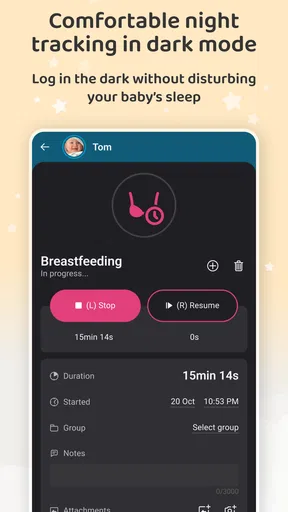
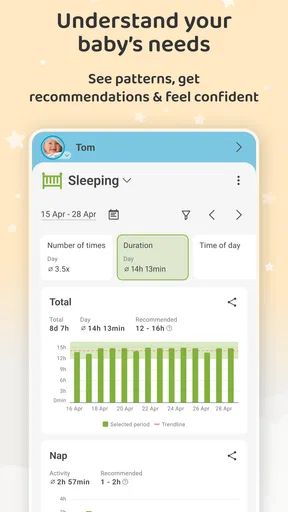
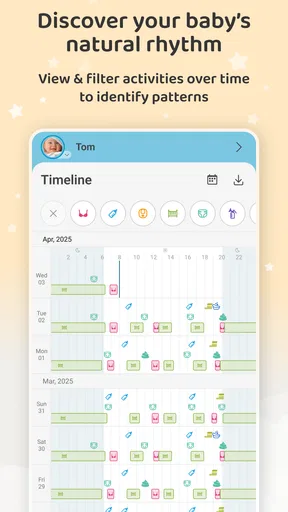
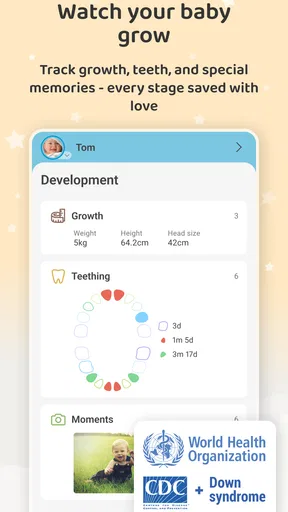
 Analysis by AppCompare
When I first brought a newborn home, even the simplest question could catch me off guard: when did the last feed start, and how long had the baby been asleep? A small log can take some of that guesswork out of a tiring day. Baby Daybook - Newborn Tracker is a parenting app from Baltapis that brings everyday care notes together, including feeding, sleep, diapers and growth. I’d approach it as a practical record to help me notice patterns and share details, not as a substitute for a clinician’s advice or for responding to a baby’s cues.
What a new user can expect
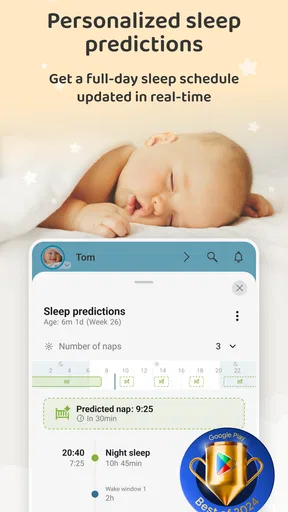
The first useful thing to know is that this kind of tracker works best when it captures just enough detail to answer the questions you actually have. You do not need to turn every moment into a data entry. A quick note about a feed, a diaper or a nap can be useful later, especially when the day has blurred together. The app’s personalized sleep predictions may offer another prompt for thinking about rest, but I would treat any prediction as a guide rather than a schedule a baby must follow.
Baby Daybook is free to download, with in-app purchases listed from $1.99 to $99.99 per item. It is rated for Everyone, and its average rating is 4.8 from around 67,000 ratings; it has over one million installs. Those figures suggest plenty of families have tried it, but the more important question is whether its logging style suits your household. If you prefer to keep baby notes on paper, or you find tracking makes you more anxious, a simple notebook may be the better fit.
Make the first setup manageable
When setting it up, I’d begin with only the records I expect to use most. For one family that might mean feeds and sleep; for another, diaper changes are the detail they want to recall at appointments. Keeping the starting routine small makes it easier to learn the app without creating another job during an already busy stretch. Once a habit feels natural, I’d consider adding other entries rather than trying to log everything from day one.
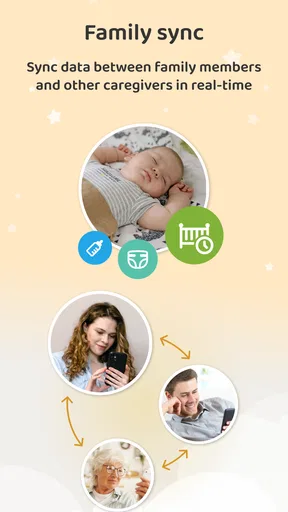
It also helps to agree on a shared shorthand if another caregiver will be entering information. Decide what you mean by a feed’s start and end, or what details belong in a note, so one person’s record is understandable to the next. That small bit of consistency matters more than filling in every possible field. The app’s cross-device syncing can support shared caregiving, though I’d still make sure everyone knows which entries are useful to your family and which are optional.
Get to the first useful result
A realistic first success is not building a perfect routine; it is being able to answer one question without relying on a tired memory. After logging a few ordinary feeds and naps, you may be able to look back and see roughly how the day has unfolded. That can make handoffs between caregivers clearer: instead of saying “I think the baby ate recently,” you can check the record and pass along a more useful summary.
I would use that history as context, not as a rulebook. Newborn days are variable, and a log cannot explain why a baby is unsettled or decide whether a change is medically important. If something concerns you, bring the relevant observations to a health professional rather than treating an app’s pattern or prediction as a diagnosis. The useful role here is helping you remember what happened, not telling you what your baby needs.
Worth Reading Before You Choose

Flipboard Shows What News Apps Must Do Beyond the Feed

Switching to Android Auto Means Rethinking Your Driving Routine

Google Calendar Makes a Crowded Week Easier to Manage

Ludo King Makes the Most of the Minutes Between Plans

Baby Panda World Brings Quick Play to Modern Phones, but Its Game Library Feels Busy

ESPN’s Live Game View Makes Following Close Games Easier
Where people can get confused
The main trap with any baby tracker is feeling obliged to record every detail accurately while caring for the baby. If you miss an entry, I would not spend time reconstructing a whole day from memory unless that information is genuinely useful. A partial, honest record is often more practical than a complete-looking one that you had to guess at. The goal is to reduce mental load, not create a scorecard for parenting.
Another point to keep in mind is the difference between a reminder and an instruction. Reminders can help with something you have chosen to remember, but they should not replace your own judgment or advice from a clinician. Likewise, sleep predictions can be interesting to compare with what you observe, but babies do not always follow a pattern. If checking predictions makes you feel pressured, it is reasonable to focus on the simple logs instead.
Who is likely to benefit most
I can see this being especially handy for first-time parents, families sharing night and daytime care, and anyone who finds that sleep deprivation makes recent events hard to recall. It can also be useful when a caregiver wants to give another person a concise account of feeds, naps or diaper changes. The value is less about collecting a large history and more about making the next conversation or handoff a little clearer.
On the other hand, I would skip a detailed tracking routine if it turns care into constant phone checking, or if you only want a very occasional note. In that situation, a paper page on the fridge or the notes app already on your phone may be quicker. Baby Daybook makes more sense when you want several kinds of baby-care information in one place and expect to revisit it, rather than when you need only a single reminder.
How it compares with simpler alternatives
Compared with a notebook, a dedicated tracker can make it easier to separate feeds, sleep and diaper records and look back through them without scanning pages. The trade-off is that a phone-based routine depends on remembering to open the app and enter the event; a notebook left nearby can sometimes be faster. Compared with a general notes app, Baby Daybook is shaped around baby care, so its purpose is clearer, but a plain note may be more flexible if your family has an unusual way of recording information.
I would choose between these options based on the handoff problem you are trying to solve. If two caregivers regularly need the same recent information, a shared digital record can be more convenient than a notebook passed from room to room. If you are the only person tracking a couple of details and do not need to review patterns, the extra structure may not earn its place. There is no benefit in adopting a system simply because other parents use one.
Keep the habit useful, not burdensome
One practical approach is to decide in advance what you want the log to answer. For example, if you are trying to remember how naps relate to the rest of the day, record sleep consistently for a short stretch and avoid adding unrelated details just because the option exists. If the question is about feeds, make those entries the priority. A focused record is easier to maintain and easier to explain to another caregiver.
For appointments, I would use the app as a memory aid: review the notes beforehand and write down the observations or questions you want to raise. That is different from using a growth chart or sleep prediction to make a health decision on your own. A record can help you describe what you have noticed, while a qualified professional can interpret it in the context of your child.
It is also worth thinking about how much detail you genuinely need before paying for anything. The app is free to start, while optional purchases range from $1.99 to $99.99 per item. I would first establish whether the basic routine is useful in your household; if it is not, paying for more tools is unlikely to fix the underlying problem. If it is useful, check the in-app options and their cost before deciding whether any added functionality is worth it to you.
Why Choose Baby Daybook?
First things first, if you're wondering why you should even consider downloading the Baby Daybook, here’s the scoop. This app is like having a personal assistant dedicated to your baby’s needs. From tracking feeding times to diaper changes, it’s got you covered. And believe me, when you're sleep-deprived, every bit of help counts.
Features at a Glance
So, what exactly does this app offer? Let’s break it down:
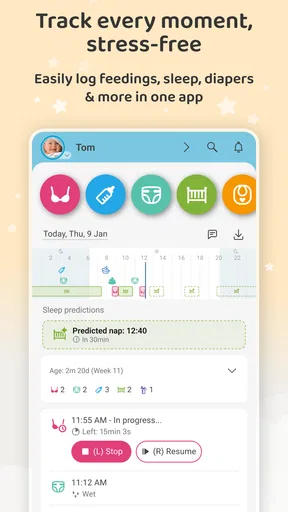
- Feeding Tracker: Whether you're breastfeeding, bottle-feeding, or doing a mix of both, this feature helps you keep tabs on feeding times and quantities.
- Diaper Log: Keep track of wet and dirty diapers, which is surprisingly important for monitoring your baby’s health.
- Sleep Schedule: Record nap times and durations to help you establish a sleep routine for your little one.
- Growth Charts: Monitor your baby’s growth and compare it with standard growth charts.
- Activity Tracker: Document tummy time, play sessions, and other activities.
User Experience and Design
One of the first things I noticed about the Baby Daybook is its intuitive design. The interface is clean and straightforward, making it easy to navigate even when you're running on minimal sleep. Each feature is just a tap away, and inputting data is a breeze. The app also syncs across devices, which is a lifesaver if you’re sharing caregiving duties with your partner.
The color-coded entries are particularly helpful. For instance, feeding logs are in one color, while sleep logs are in another. This visual distinction makes it easy to glance through your baby’s history without getting lost in the details.
Additional Perks
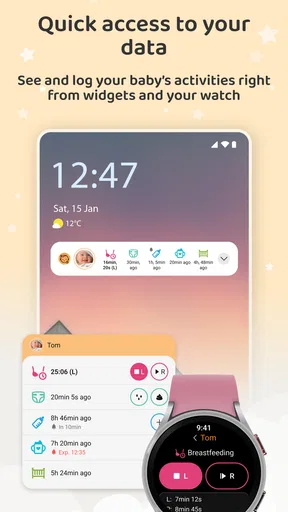
Beyond the basics, the app offers some nifty extras. You can set reminders for feedings and medications, which is perfect for those days when your brain feels like it’s in a fog. There’s also a handy notes section where you can jot down any special observations or reminders.
“Honestly, having all this information at my fingertips has been a game-changer. It’s like having a digital diary for my baby.”
Room for Improvement
No app is perfect, and Baby Daybook is no exception. While it offers a free version with basic features, some of the more advanced functionalities require a premium subscription. For parents on a budget, this could be a consideration. Also, although the app is generally user-friendly, it might take a little time to explore all its features fully.
Final Thoughts
All in all, the Baby Daybook - Newborn Tracker is a fantastic tool for new parents. It takes the guesswork out of managing your baby’s schedule and provides valuable insights into their development. If you're looking for a way to stay organized and keep your sanity intact, this app is definitely worth a try.
So there you have it! Whether you’re a first-time parent or a seasoned pro, Baby Daybook can help you navigate the early days with confidence. Happy parenting!
Pros
- Intuitive interface for easy tracking.
- Customizable reminders for routines.
- Supports syncing across multiple devices.
- Offers detailed growth and activity logs.
- Integrates with health apps seamlessly.
Cons
- Limited features in free version.
- Requires internet for full functionality.
- Some users report occasional syncing issues.
- Interface can be overwhelming for new users.
- Ads present in the free version.
FAQs for Baby Daybook - Newborn Tracker
What features does Baby Daybook offer for tracking my newborn's activities?
Baby Daybook provides a comprehensive suite of features to track your newborn's activities, including feeding times, diaper changes, sleep patterns, and growth milestones. The app also allows for detailed notes and reminders, ensuring you never miss an important event in your baby's daily routine. This holistic approach helps parents maintain a structured and informed care plan.
Is Baby Daybook available on both Android and iOS platforms?
Yes, Baby Daybook is available for download on both Android and iOS devices. This cross-platform availability ensures that parents can seamlessly track their newborn's activities regardless of their preferred device. The app is designed to provide a consistent user experience across different operating systems, making it convenient for all users.
Can I share my baby's activity data with other caregivers using Baby Daybook?
Absolutely! Baby Daybook allows you to share real-time updates with other caregivers, such as family members or babysitters. This feature ensures everyone involved in your baby's care stays informed and coordinated. By syncing data across multiple devices, it promotes a collaborative approach to childcare, enhancing communication and efficiency.
Does Baby Daybook offer any customization options for tracking specific needs?
Yes, Baby Daybook offers extensive customization options to cater to your specific needs. You can personalize the app by adding custom activities, setting unique reminders, and adjusting the interface to better suit your preferences. This flexibility ensures that the app can adapt to various parenting styles and routines, providing a tailored experience.
Is Baby Daybook secure and does it protect my personal data?
Baby Daybook prioritizes user privacy and data security. The app employs robust encryption to protect your personal information and ensures that your data is stored securely. Users can also control data sharing settings, giving them peace of mind knowing that their sensitive information is safeguarded against unauthorized access.


